Robotics
Robots our learners design, simulate and can prove they understand
We train learners to design, build and simulate robots, and then to show that a human did the thinking. AI is welcome while you learn; the proof comes without it.
Proving a human did the thinking
Teach with AI, verify without it.
- Prototypes on show
- 11
- Rebuilt unaided
- 75%
- Age stages
- 3
- Simulators
- 6
Why this matters
01The problem
AI can now produce a working answer for anyone, so it is harder to tell who actually understands the machine.
02What learners build
Robots designed around real problems: waste on Kampala's streets, emergencies on hospital wards, energy waste in factories.
03How we verify it
Learners rebuild their solution unaided, transfer it to an unseen problem, and pass a delayed check.
- 1,517 people reached
- 48 interns trained free
- Accredited Cisco Networking Academy, supported by AFRALTI
Watch our learners design in real time
From a blank 3D scene to a working robot, by hand
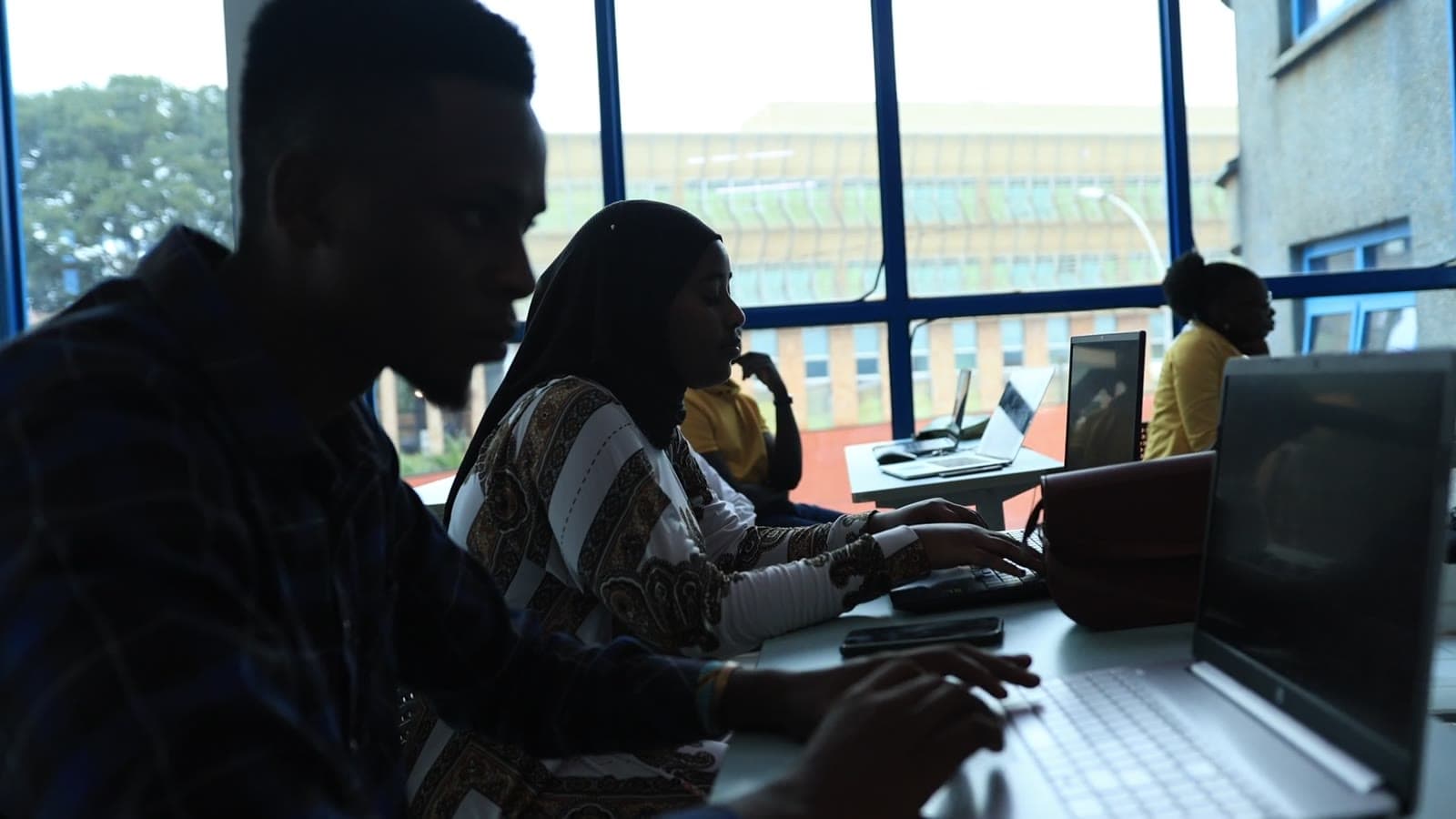
No stock footage: these are our learners modelling a robot live in Blender, then building together at their laptops.
- Model the parts, rig the joints, animate the motion
- Simulate before anything is built or bought
- Explain every decision, because you will rebuild it unaided
How we verify robotics competence
Proving a human did the thinking
Our rule comes from our founder's capstone research: teach with AI, verify without it. A robot that works is not enough. The learner must show the understanding is theirs.
Step 1: Build with any help
Use AI, mentors and references freely. Assistance is recorded, not forbidden.
Step 2: Rebuild it unaided
Reconstruct at least 75% of your own solution without help.
Step 3: Transfer it
Solve a second, unseen problem of the same kind, so we know you understood it rather than memorised it.
Step 4: Check it later
A delayed check confirms the understanding has lasted.
The rule is published under a Creative Commons Attribution licence (CC BY 4.0), so any school or trainer can adopt it.
Prototype gallery
Robots built around real problems
3D designs modelled and animated in Blender, from waste collection on Kampala's streets to emergency help on a hospital ward. Press a card to watch; some include the modelling session itself.
Smart Waste-Collection Robot
Waste collection in Kampala is slow and uneven. This robot is designed to find rubbish on the street, pick it up and load it for disposal on its own.
- Designed around an Arduino and Raspberry Pi, with ultrasonic obstacle sensors, cameras and GPS
- Waste recognition planned with a YOLO-style neural network
- A* / Dijkstra path planning between collection points
Written briefHospital Emergency-Assist Robot
Staff shortages, made worse by COVID-19, slow down emergency response in hospitals. This robot is designed to respond to emergencies and bring help, taking load off medical staff.
- Designed for basic emergency-response tasks on the ward
- Real-time communication and data transmission to staff
- Head, body, shading and a hospital-room scene modelled step by step
Written briefEnergy-Efficiency Factory Robot
Factories waste energy, and manual efficiency checks are slow and imprecise. This IoT robot is designed to move around the plant, monitor energy use and help cut waste.
- IoT sensors and actuators for remote monitoring and control
- Energy-monitoring and process-optimisation algorithms (planned)
- Built for a working floor: shown moving stock on a lift cart in a warehouse
Written briefDoorbell-Answering Robot
Answering the door is inconvenient and can be a security risk, especially for people with limited mobility. This robot is designed to hear the bell, go to the door and open it.
- Microphone with FFT-based doorbell detection that filters out household noise
- A* / Dijkstra path planning with LIDAR or ultrasonic obstacle avoidance
- Actuator control to turn the handle and open the door
Written briefHousekeeper Robot
Busy households struggle to keep up with cleaning and tidying. This robot is designed to take on everyday chores and help residents with their routines.
- Navigation around furniture without collisions
- Mechanisms designed for sweeping, mopping and vacuuming
- Recognises and handles objects, such as picking up toys or organising books
Written briefSpherical Underwater Robot
Divers cannot safely reach deep, dangerous or confined underwater areas. A spherical robot can, for fisheries and exploration work.
- Water-jet propulsion in a spherical hull, inspired by published spherical-robot research (SUR-III)
- Explores the hard parts: stability, buoyancy and ballast, and obstacle avoidance in 3D
- Reliable communication with an operator or base station
Written briefScrap-Clearing Robot
A design study (no written brief): a tracked robot that clears scrap and debris from compounds and streets.
- Tracked base for rough, uneven ground
- Twin scoop arms that gather debris
- A full cleanup run across a modelled neighbourhood, rendered in Blender
Design studyShopping Assistant Robot
A design study (no written brief): a robot that pushes the trolley for you through a shop.
- Humanoid robot rigged to grip and push a shopping trolley
- Animated along the aisles past stocked shelves
Design studySingle-Wheel Robot
A design study (no written brief): a compact robot that moves on one wheel.
- Body, arms and wheel modelled from simple shapes
- Materials, lighting and a rolling animation
Design studyHumanoid Robot
A design study (no written brief): a humanoid robot built and rigged so it can move like a person.
- Humanoid body modelled piece by piece
- Rigged skeleton and posed animation
- Lit studio scene
Design study
In their words
From first attempts to his own robot
Before founding Akili za Kesho, our founder mentored students at Cavendish University Uganda's Centre for Innovation and Entrepreneurship to build serious software and technology ventures.
Here one of them talks about discovering robotics, getting discouraged on early attempts, and the surveillance robot he designed to reach places that are dangerous for people.
Learning pathway
A path for every age
Children can start as early as four. Structured building and visual coding fit best from about seven.
Ages 4–6
Cause and effect
Screen-free coding toys, large interlocking blocks and floor maps: children command a robot to move, dance or find its way through a hand-drawn maze.
Ages 7–10
Block coding with real parts
The sweet spot for robotics kits. Visual block coding (Scratch) with colour and motion sensors, motors, gears and logical loops.
Ages 11–14+
Text code, circuits and 3D simulation
From blocks to Python or C++, electronic circuits on breadboards, 3D simulation sandboxes and real algorithmic problem-solving.
AI & coding, ages 7–10: foundational logic: if-this-then-that, step-by-step instructions, and guided prompting to co-create stories, puzzles and simple games.
AI & coding, ages 11–14: learners pick a real problem and build an app with an AI pair programmer in the terminal, writing code, variables and file operations themselves.
Tools we teach with
Simulators first, hardware when you are ready
Physics simulators keep costs low and allow unlimited testing. Hands-on kits add the feel of real parts.
Simulators
Webots
Steer virtual wheeled robots through obstacle fields and line-following courses with Python or blocks. Light enough for ordinary school computers.
Virtual Robotics Toolkit
A virtual sandbox for LEGO MINDSTORMS builds, with realistic colour, ultrasonic and touch sensors on competition-style mats.
Gazebo
Shows older learners how LIDAR and cameras map a 3D space. Open source and widely used with ROS.
CoppeliaSim
Robotic arms for learning kinematics, coordinate frames and joint limits, scripted in Python, C++ or Lua.
RoboDK
Industrial assembly lines: program arms to pick, place, pack or weld parts.
NVIDIA Isaac Sim
Instructor-led demonstrations of photorealistic industrial digital twins and how AI models are trained.
Hardware
LEGO MINDSTORMS Robot Inventor (51515)
Small teams build robots and code motors, the LED hub and sensors in blocks, with a clear path on to Python.
Low-voltage Arduino (5V DC)
Older learners wire safe circuits on breadboards (sensors, LEDs, buzzers, micro-servos) and program them in C++.
Raspberry Pi
A full Linux computer the size of a card: Python, peripherals, web interfaces and basic computer vision.
Virtual option
No hardware budget needed
The full programme runs on open-source simulators using the computers a school already has.
Physical option
Kits sourced for you
Prefer LEGO, Arduino or Raspberry Pi kits? We quote separately at current vendor prices.
For schools
AI & Robotics Club for schools
A co-curricular club that balances deep technical learning with logical thinking, and keeps costs sustainable. We bring the trainers, curriculum and simulators.
We can also train teachers and administrative staff in practical AI methods, research tools and secure system management.
Phase 1
Audit & preparation
We check the school's computers, install open-source simulation tools and test everything before day one.
Phase 2
Demonstration & enrolment
Hands-on demo sessions spark interest, and parents receive registration details.
Phase 3
Weekly club sessions
Weekly 1.5 to 2-hour sessions, grouped by age and skill level.
Phase 4
Showcase
A mini-exhibition where learners demonstrate working projects to parents, followed by certificates of participation.
Build the future of robotics with us
Older learners can go deeper on the 4IR internship's Robotics Simulation & Modelling track.See the internship